A Transcription App for Mac That Never Uploads Your Audio

Tscribe is a native macOS app that turns audio and video files into text on your own machine. Pick a model once, then every transcript after that is a single drag — in 99+ languages, with nothing sent to a server. It costs $25 once, covers three of your Macs, and needs no account.

Notarized by Apple · macOS 12 or later · Apple Silicon and Intel · 14-day refund

Tscribe transcription app running on macOS

Three Kinds of Transcription App for Mac

Search for transcription software for Mac and you get three very different things back. They solve different problems, and the right answer depends on which one you actually have.

Cloud services

You upload a file to a website or let a bot join your meeting, and the transcript comes back from someone else's servers. Accurate, collaborative, and usually billed monthly with a cap on minutes.

The catch is that your recording leaves your machine. For a podcast that is fine. For a client call, a deposition, a patient note or anything under an NDA, it is often the one thing you cannot do.

What macOS already does

Recent versions of macOS can transcribe Voice Memos, and there is a Shortcuts action that will turn an audio file into plain text. Both run on-device and cost nothing.

If you occasionally need the gist of a short memo, use them — genuinely. They start to hurt on long or noisy recordings, on languages other than English, and when you need timestamps, subtitles or a choice of accuracy.

Local transcription apps

A desktop app that runs a speech model on your own hardware. Nothing is uploaded, there is no per-minute meter, and it keeps working on a plane or in a room with no network.

Tscribe is one of these. So are several other good Mac apps — this is a real category with real choices, and the differences are in pricing model, model selection and export formats rather than in the underlying accuracy.

How Transcribing on a Mac Works

You choose a model once, the first time you open the app. After that every transcription is a single drag — there is no account to create, no file to upload, and no settings to revisit unless you want to.

Choosing a default Whisper model on first launch in Tscribe

1. Choose a model — once

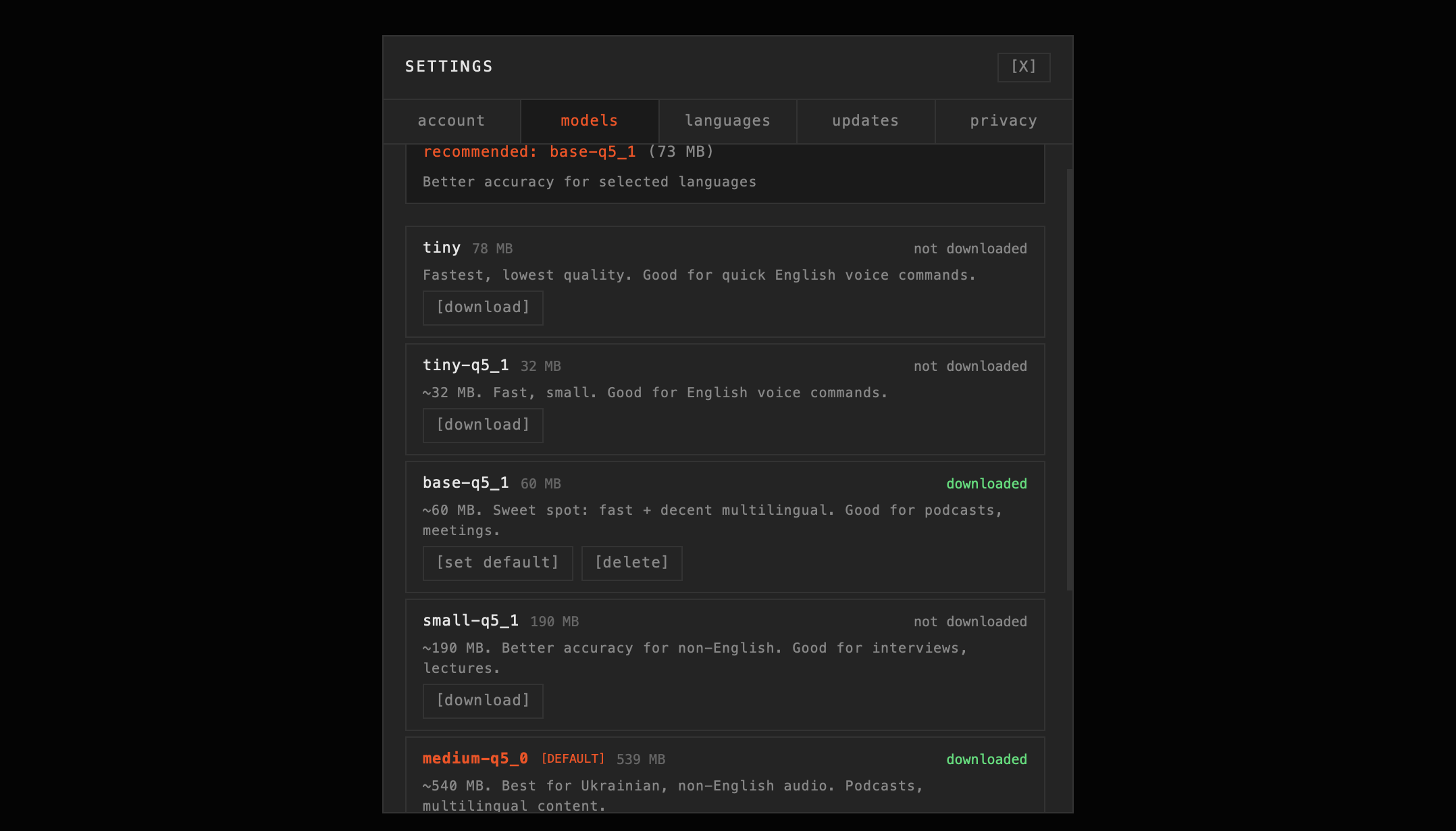
On first launch the app asks which of the seven Whisper models to download and set as your default: from a 32 MB one for quick English notes on an 8 GB Mac, up to large-v3 at 3.1 GB for noisy, multi-speaker audio. You can change it any time in Settings.

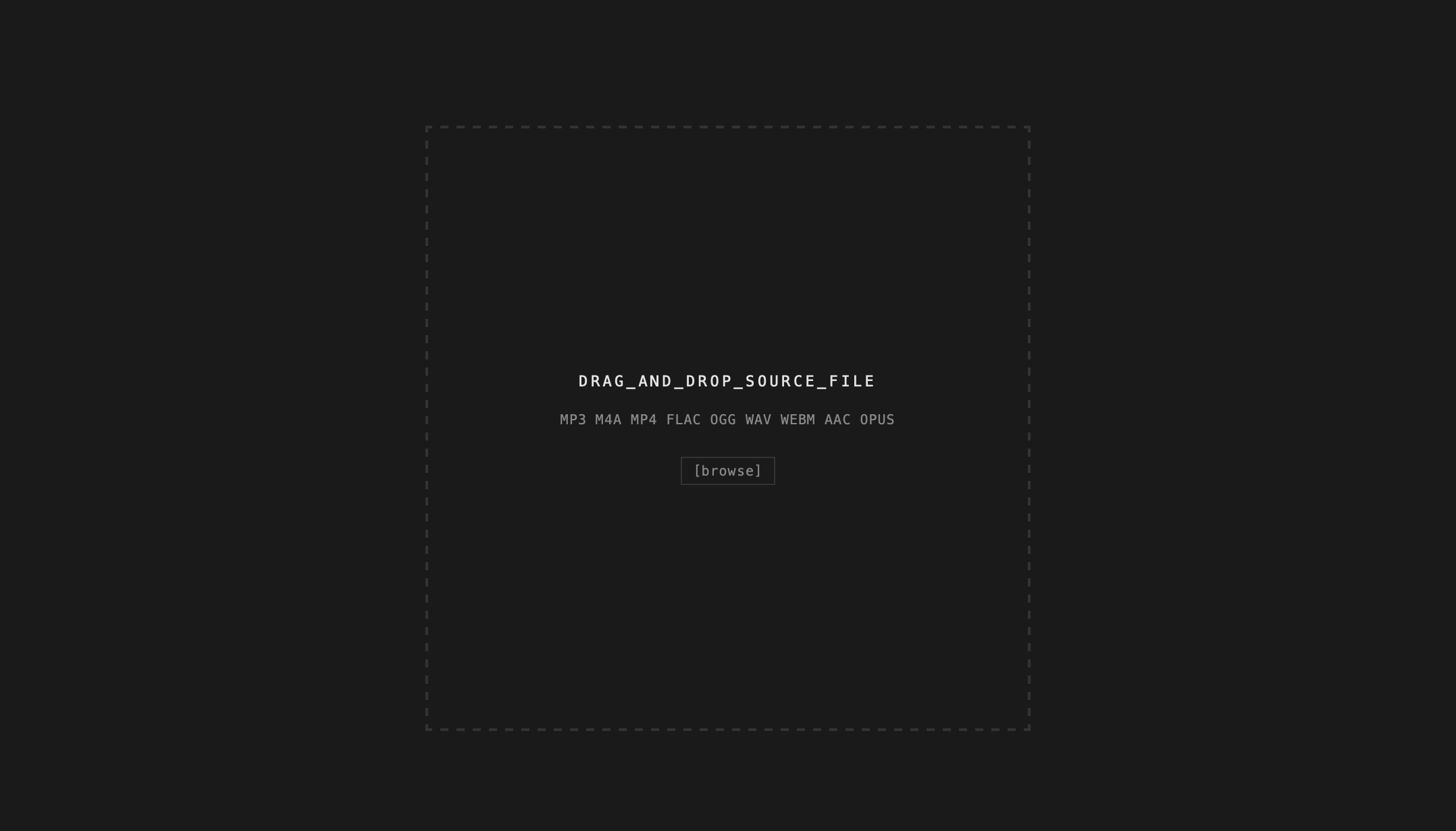
Dragging an audio file into Tscribe on macOS

2. Drag a file in

From then on that is the whole workflow. Drop an MP3, M4A, MP4, WAV, FLAC, OGG, WEBM, AAC or OPUS file straight from the Finder and transcription starts with your default model. Video works too — the audio track is extracted in memory, with no conversion step and no intermediate file on disk.

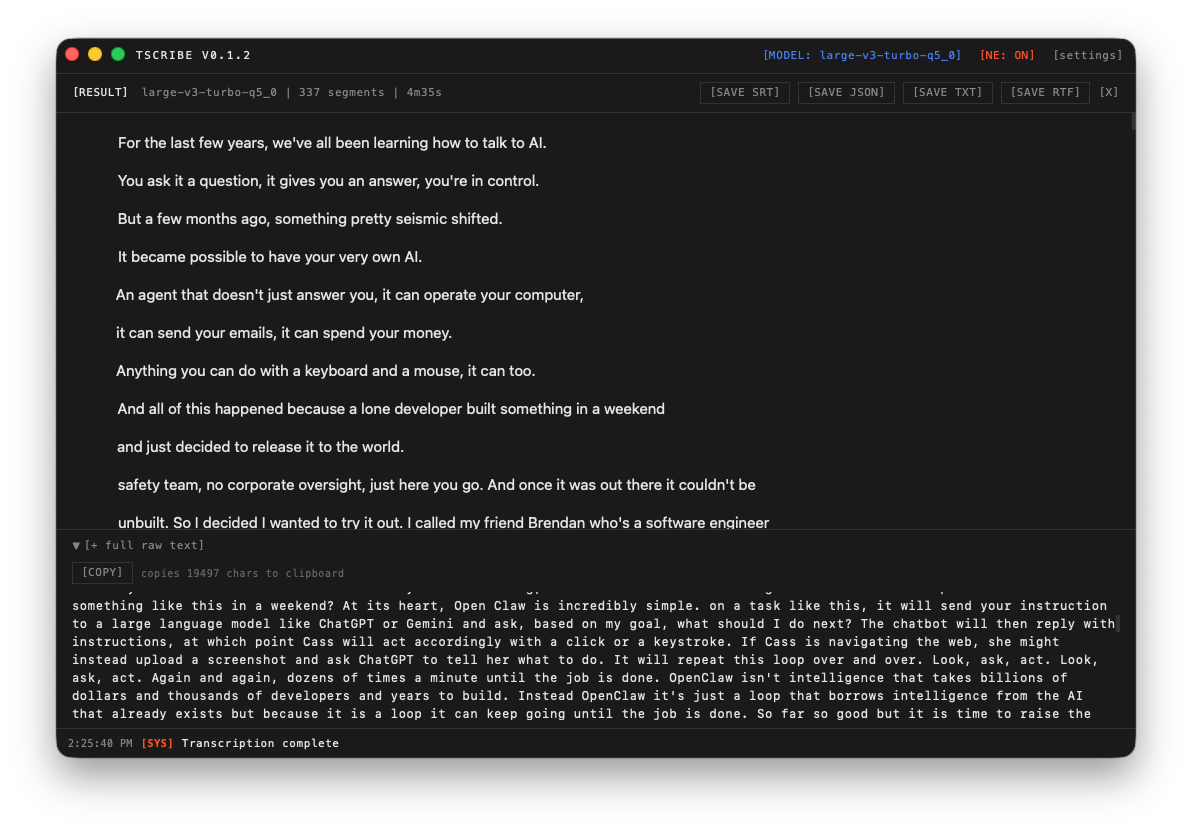
A finished transcript in Tscribe with export options

3. Export the text

Copy it, or save as TXT, RTF, JSON, or SRT subtitles with timestamps. Full Unicode support, including Cyrillic — useful if you work in more than one alphabet.

Why On-Device Matters More Than It Sounds

"Private" is a claim you have to take on trust from a cloud service. On a local app it is something you can verify in ten seconds: disconnect from Wi-Fi and transcribe anyway.

Works with no network

Once a model is downloaded, the app never needs the internet again. Useful on a flight, in a courthouse, or anywhere the Wi-Fi is someone else's.

Nothing is uploaded

No file, transcript, or fragment of audio leaves your Mac. There is no retention policy to read, because there is nothing to retain.

No minute caps

A four-hour conference recording costs the same as a thirty-second memo: nothing. The only limit is how fast your Mac works.

No account

The trial needs no email address and no card. Buying gives you a licence key, not a login.

Who Ends Up Needing a Local One

Journalists and researchers

Interview tape where the source was promised the recording would not be handed to a third party. Source protection is not a preference here; it is the job.

Lawyers and medical professionals

Client calls, depositions, patient dictation. Confidentiality obligations frequently rule out uploading a recording anywhere, whatever the service promises in its privacy policy.

Anyone with a lot of tape

Podcasters producing captions, students working through a term of lectures, teams with years of archived meeting recordings. Per-minute billing turns a backlog into an invoice; a local app does not.

People working in more than one language

99+ languages with automatic detection, and notably solid results on Ukrainian and other Central and Eastern European languages that cloud services often handle poorly.

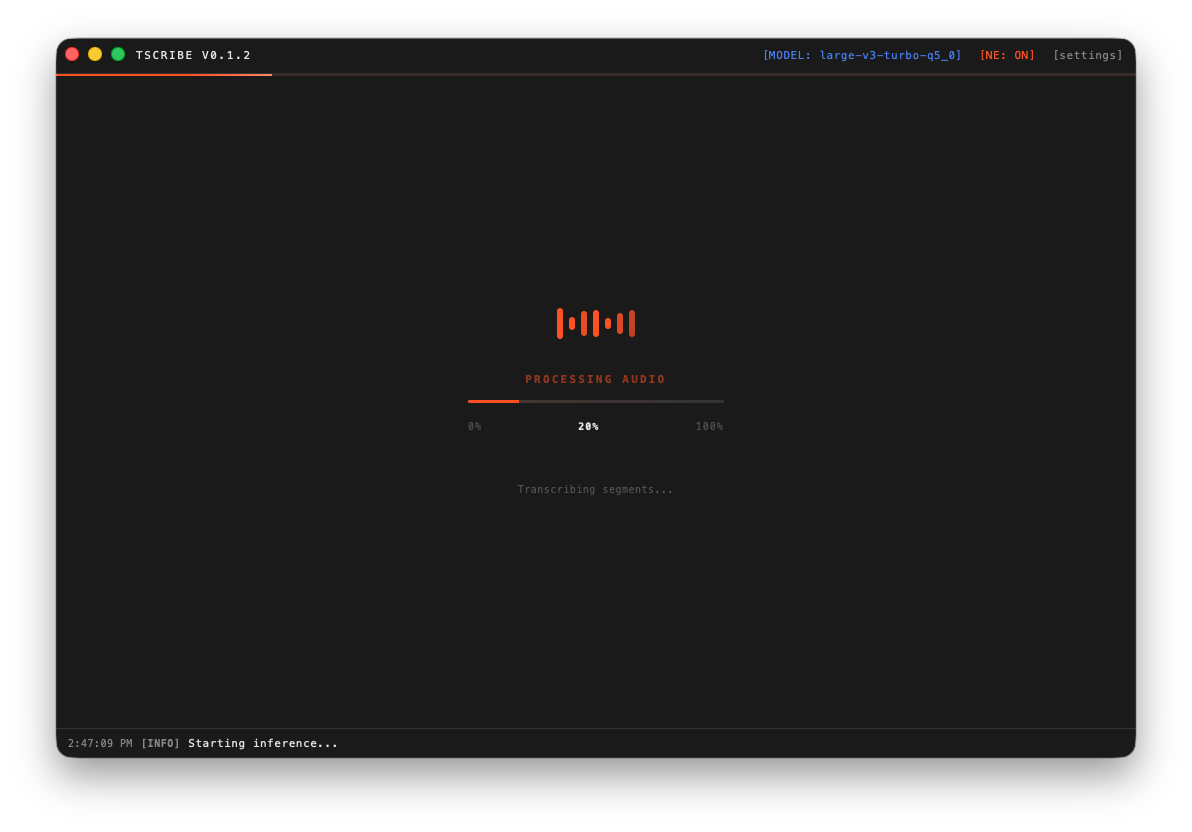
Tscribe transcribing a file on macOS

One licence covers three of your personal Macs — desktop and laptop on the same key, with no second payment and no per-seat billing.

What Tscribe Does Not Do

Worth knowing before you download, so nobody is disappointed.

No live dictation

Tscribe transcribes files you already have. It does not type at your cursor while you speak. If that is what you need, this is the wrong app.

No speaker labels yet

Speaker diarization — marking who said what — is on the roadmap but not shipped. For multi-speaker interviews you will be labelling by hand for now.

No batch queue yet

Files are processed one at a time. A queue is in development and, like every future update, it is included in the licence you already bought.

More on the model line-up in the model guide, on supported containers in media compatibility, and on what is shipping next in the changelog.

Questions People Ask First

Is there a free transcription app for Mac?

Yes — macOS itself can transcribe Voice Memos on recent versions, and there are free open-source Whisper front-ends. They are a reasonable starting point. Paid apps like Tscribe exist for the cases where you need a choice of model sizes, subtitle export with timestamps, reliable handling of long or non-English recordings, and someone to email when something breaks.

Does it work without an internet connection?

Yes. The first run downloads whichever Whisper model you pick. After that, transcription runs entirely on your Mac and the app works with Wi-Fi switched off. You can verify this yourself in the free trial.

How much does it cost?

$25 once, for a lifetime licence covering up to three of your personal Macs and every future update. There is no subscription and no per-minute charge. The refund window is 14 days.

What can I do in the free trial?

Transcribe the first 30 seconds of any file, with all seven models unlocked, for as long as you like. No account, no email address and no card. It is meant for testing the app on your own worst-quality recording before you decide.

Which Mac do I need?

macOS 12 or later, on Apple Silicon (M1 through M4) or Intel. The app uses the Neural Engine and Metal GPU where available. Smaller models run comfortably on an 8 GB machine; large-v3 wants more headroom.

Which file formats can it read?

MP3, M4A, MP4, FLAC, OGG, WAV, WEBM, AAC and OPUS, with no conversion. Video files work directly — the audio track is extracted in memory during transcription.

Can it identify who is speaking?

Not yet. Speaker diarization is planned but has not shipped. If separating speakers automatically is essential to your work today, an app that already has it will serve you better.

Is it safe to install from outside the App Store?

Tscribe is signed with an Apple Developer ID and notarized by Apple, which means Apple has scanned the build for malicious code. It opens without a Gatekeeper warning, contains no bundled software, and is removed by dragging it to the Trash.
Try It on Your Own Recording First

Thirty seconds of any file, every model unlocked, no signup. If it handles your worst audio, the licence is $25 and it is yours on three Macs forever.